

The Asus Zenbook Flip 14 OLED is a new compact, slim laptop that aims to be a content consumption companion, a light workhorse as well as a well-built all-around. In our previous reviews we’ve noted that Asus is beginning to incorporate OLED panels into mid-range devices, trickling down from high-end devices such as the Asus Vivobook Pro 16X (in-depth review here). In our review of the Asus Zenbook Flip 14 we find out if this trickle-down effect works in a smaller form factor at a lower end of the market.
Read: New OLED screen can create pop-up buttons in the display
While the flexible 2-in-1 design is a major advantage, this laptop is capable of handling all types of tasks, whether it’s office work, creative projects, studying, or entertainment. It’s not only suitable for an office desk, kitchen table, or sofa but also for use on the go, such as on a train or at a coffee shop.
The Zenbook 14 Flip OLED is lightweight and highly portable, but its screen and keyboard are large and comfortable enough to use all day. While there will always be those who require a larger or faster laptop with more graphics power, I believe that this laptop could satisfy the requirements of many users who dream of owning a top-of-the-line device.

Design and Build
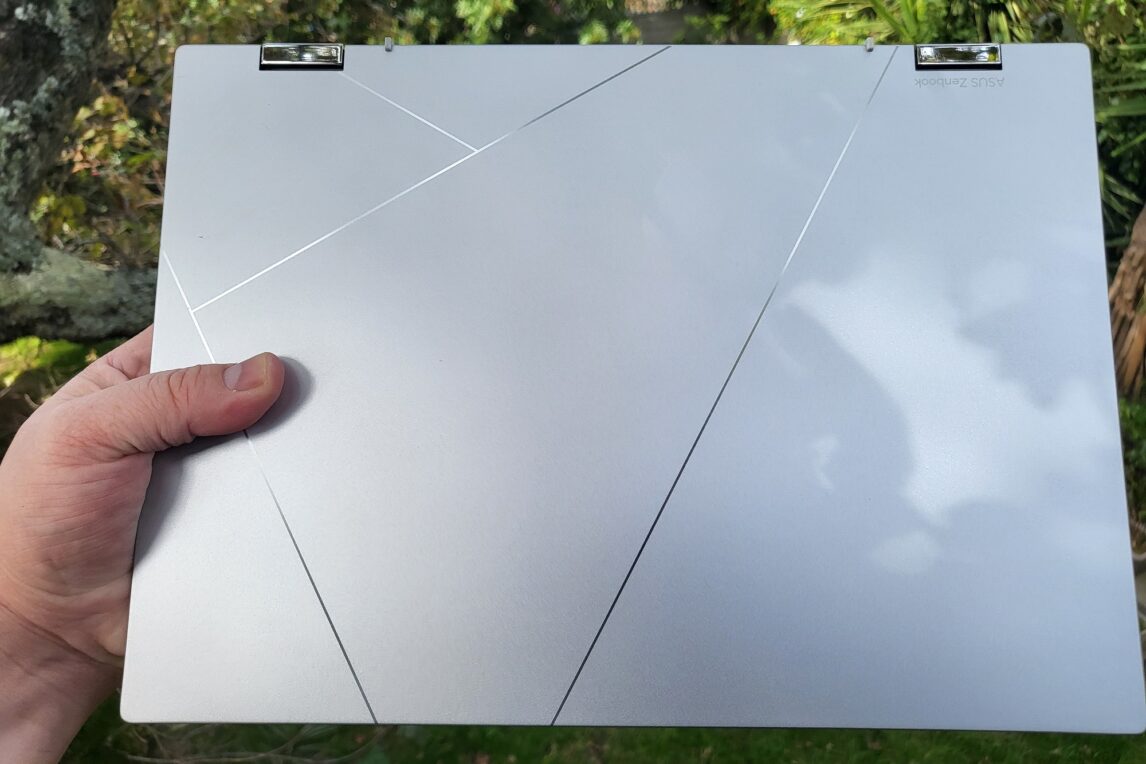
Since the beginning of the Zenbook line back in 2011, Asus has been pumping out some of the best-looking and best built designs in the industry. The Asus Zenbook Flip 14 is another example of this design expertise, even if the design language is safe compared to their previous laptops. The matte finish on the back gives it a premium look and feel, with a unique angular pattern adorning the lid.
The design of this laptop is a double-edged sword. It looks stunning, especially when it catches the light, but it easily collects fingerprint smudges and dirt. Cleaning the back of the laptop will be something to consider frequently, even if it has never crossed your mind before.
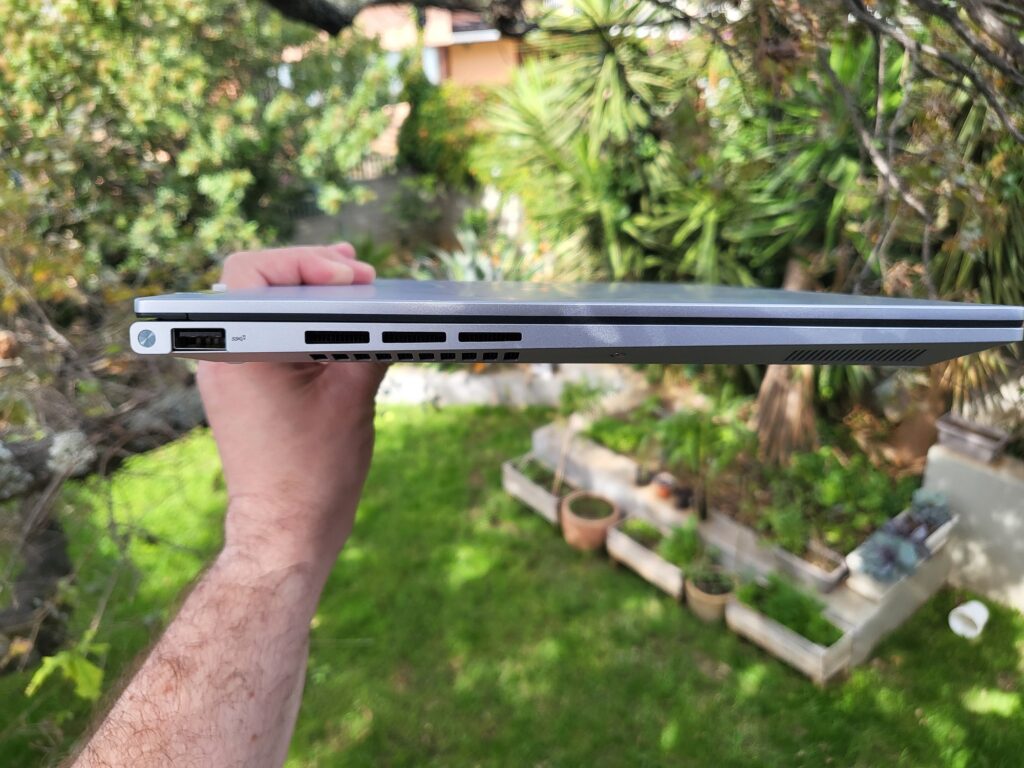
Despite not being as thin or light as expected, the 14 Flip is still considered an ultrabook. The 1.5kg chassis is heavier than some 14-inch laptops, and 15.9mm thickness is not particularly noteworthy. Nevertheless, these design choices have benefits. The weight contributes to a premium and robust feel, and it is no surprise that it has military-grade durability. During my testing, I did not observe any signs of fragility, indicating that the device should hold up well in the long run.
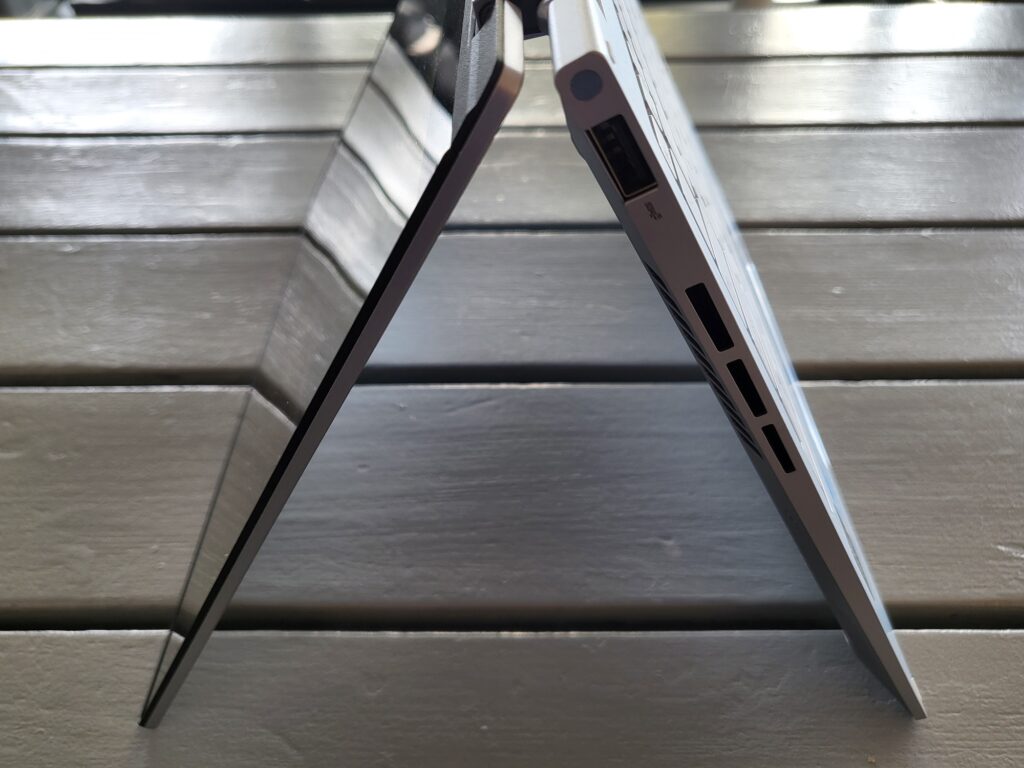
Durability is especially crucial for a convertible laptop, which requires bending the screen almost 360° regularly. Despite two small hinges, the 14 Flip does not feel flimsy at all. While using the keyboard, there is slightly more wobble than with a regular clamshell laptop, but it does not become bothersome while typing.

Choosing against a razor-thin chassis allows for a generous number of ports. Both USB-C ports support Thunderbolt 4 for fast data transfer, charging, or connecting to an external display. On the opposite side, there is a full-size HDMI 2.1, 3.5mm audio jack, and a USB-A. A second USB-A port would have been a nice addition, but this is adequate for most scenarios.
Keyboard and Trackpad
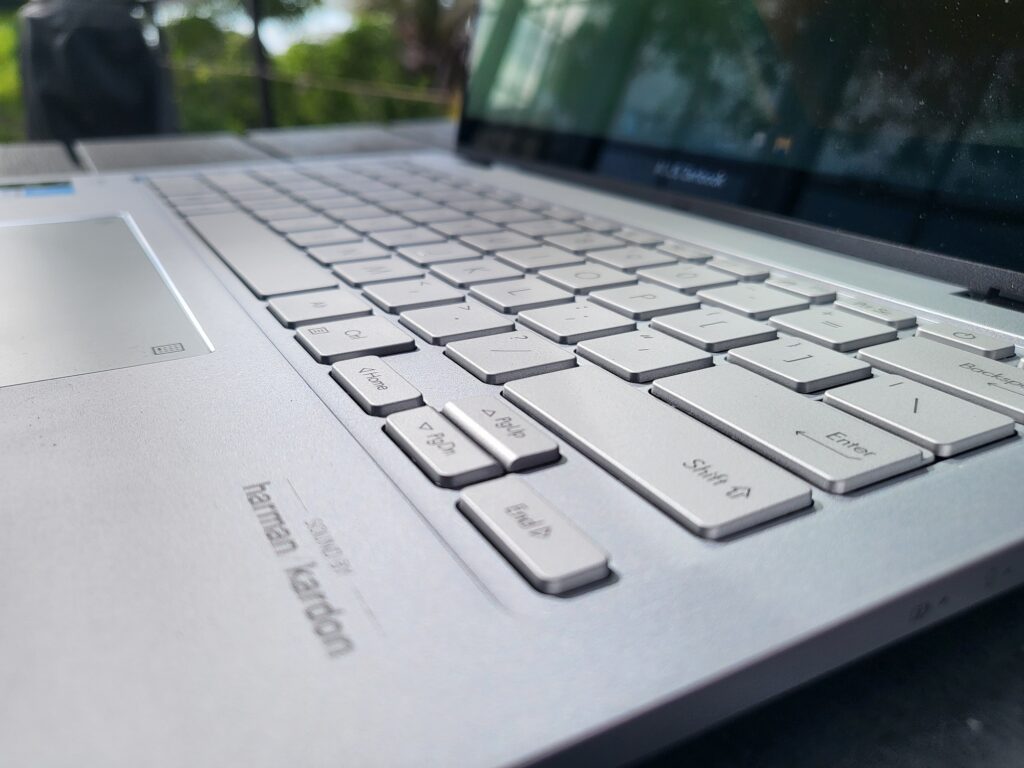
Given the 14-inch size of the laptop, there is enough room for a decent, full-sized keyboard. In fact, it is a great keyboard. It is the best keyboard I’ve used in this form factor in many years. It is easy to use this keyboard for hours on end, with comfortable key sizes and placement. It also has the most travel and feel in a laptop this size on the market at the moment, which means it is extremely tactile and feels closer to standalone keyboard, which is a welcomed change to these types of laptops. It even feels significantly better than the recent flagship laptops from Asus, including the Asus Vivobook Pro 16X. They keyboard also has three levels of backlighting, where the lowest is suited to a dark room while the highest is still easily visible in direct sunlight.
Undoubtedly, this is able to be done due to the lack of a dedicated graphics card inside, meaning there’s more room to build in a keyboard with a lot of travel and feel. Unfortunately, there is no fingerprint scanner as on the aforementioned Asus models. Luckily, the trackpad is again a very good one.

It has a large surface area for this size laptop and the click on either side is again among the best we’ve seen for this form factor. The large size also allows highlighting more text than would otherwise be possible. The trackpad also has a touch sensitive button in the top right corner that activates the virtual numpad. It is a nice addition to a laptop that will never have the size to include a real one, although usability may vary depending on the user. It might be more usable for us in South Africa – I found it very useful when needing to input ASCII shortcuts for special characters when typing.
Display
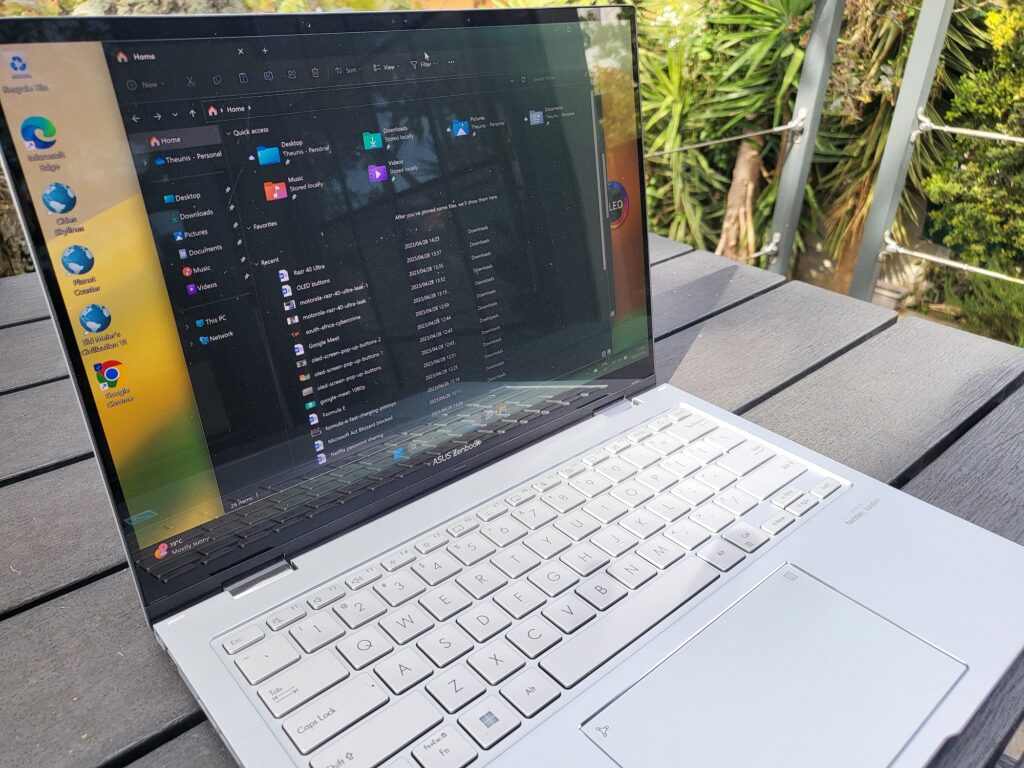
The Asus Zenbook Flip 14 has, as mentioned, a 14-inch OLED display. It is very similar to previous models we’ve reviewed, albeit smaller, and is one of the major strengths of the device. It has a resolution of 2880 × 1800 pixels, and on a screen this size and a 16:10 aspect ratio, that means an extremely sharp image.
Where it is slightly unusual is in its refresh rate. It has a 90Hz refresh rate, which most laptops this size does not have. The refresh rate is set at 60Hz at default, so you’ll need to manually activate the 90Hz capability in the settings. You see an immediate difference in responsiveness and speed of movement on the display. Everything is a little bit smoother, slicker and text remains legible when moving through the display with scrolling on moving a window.
The OLED technology delivers what you expect – the display is rich, with vibrant colours and inky blacks, which means this laptop excels at content consumption. The high resolution also delivers crispness with a lot of detail.
The touchscreen, which is vital for a convertible of this type, feels responsive enough. I am still not a big fan of a touchscreen on a laptop, but this one is as easy to use as it gets.
There are only a couple of minor issues with this display. It isn’t the brightest out there. This could be a choice made to preserve battery life but is seems like an antithesis to what this machine is meant to be – a go-where-you-please, portable all-rounder. If you can’t work or consume content in direct sunlight, it might be a problem for some.
Secondly, I can sometimes see the OLED matrix of the RGB pixels when directly on a white display. For example, while writing this review on the Zenbook Flip 14, I can make out some of the pixels (which shouldn’t be the case at this resolution). Now, this is most likely due to the touch panel that is atop the display, or it could possibly be due to a new arrangement of the RGB sub-pixels. Whatever the reason is, it is slightly off-putting when spending a lot of time in apps like Word or Excel.
Software and Performance
The performance of convertible laptops is often lower than that of their equivalent regular clamshell counterparts, and this is also true for the 14 Flip. While the performance is good, it’s not top of the line.
Although you get Intel’s latest 13th-gen CPUs, the Core i5-1340P and Core i7-1360P are not the most powerful chips in the range. P-series chips are usually found in thin and light devices, but the H-series is much more capable.

The integrated graphics are the main limitation on performance. The 14 Flip uses Intel Iris Xe instead of a discrete GPU, making it unsuitable for most content creation and demanding games.
However, with 8-16GB of DDR5 RAM, it can handle most regular tasks with ease. My daily workflow includes a lot of web browsing, word processing, emails, and the occasional video – all of which often run at the same time.
The 14 Flip is excellent for most everyday situations, especially with the 90Hz refresh rate. You can choose between 512GB and 1TB of SSD storage, although the former will be sufficient for most people.
In terms of connectivity, there’s nothing extraordinary. The laptop has Wi-Fi 6E and Bluetooth 5, but no 4G or 5G support. It would have been nice to have the option to stay connected while on the go, but you can always use your phone as a hotspot.
The Asus Zenbook 14 Flip runs Windows 11, as you’d expect, and the experience is exactly as advertised. The biggest problem we have with some Asus laptops’ software is experience is all the bloatware. When it comes to anti-virus pop-ups, which have hindered previous Asus laptops, it is much less intrusive here. Frustratingly, there are also occasional pop-up ads from the MyAsus companion app. It does at least offer tools for managing display, sound, battery and fans, but isn’t the most intuitive to use.
Battery
While Asus claims that the Zenbook 14 Flip’s 75Wh battery is “class-leading,” many competitors offer a similar capacity. Nonetheless, this laptop provides above-average battery life that will satisfy all but the most power-hungry users. You can expect to get a full workday from a single charge, although it’s advisable to remain near a power outlet after late afternoon.
In our video playback battery test, the device lasted a decent 12.5 hours on a single charge. This simply serves as a measure of screen-on time, with the brightness set at a relatively low 120 nits and volume muted. However, it means that the 14 Flip is one of the longest-lasting laptops we’ve assessed.
Conclusion
Although the Zenbook 14 Flip OLED offers numerous impressive features, it may not appear as exceptional as one would anticipate from a premium convertible. Nonetheless, the laptop boasts a stunning 90Hz OLED touchscreen, which, combined with its convertible functionality and the stylus provided in the package, is a real standout. The keyboard and trackpad are also excellent, although there are some unusual design choices that some may find superfluous.
The battery life and charging speeds are consistent, and the laptop has a wealth of ports. Nevertheless, while it offers impressive everyday performance, it may not handle demanding workloads well due to the absence of a discrete GPU or Intel’s most powerful CPUs. Additionally, the laptop’s webcam is of poor quality, and there is some annoying bloatware to deal with.
Given the Asus Zenbook 14 Flip OLED costs around R30,000 in South Africa, it might not sell as well as desired. That being said, it is much more premium than other devices in this price range but doesn’t have the internals to really stand out in the crowd. But once the price starts coming down a couple of months after launch, it is definitely a great option for most that don’t require it to do very heavy lifting.
